Project overview
Most artist merch stores go wrong in one of two ways. Some are gorgeous campaign sites where actually buying something feels like an afterthought. Others are clean templates with a logo dropped on top and no sign of the artist anywhere.
I wanted one that did both — a store where the album's look and feel survives all the way to the payment screen.
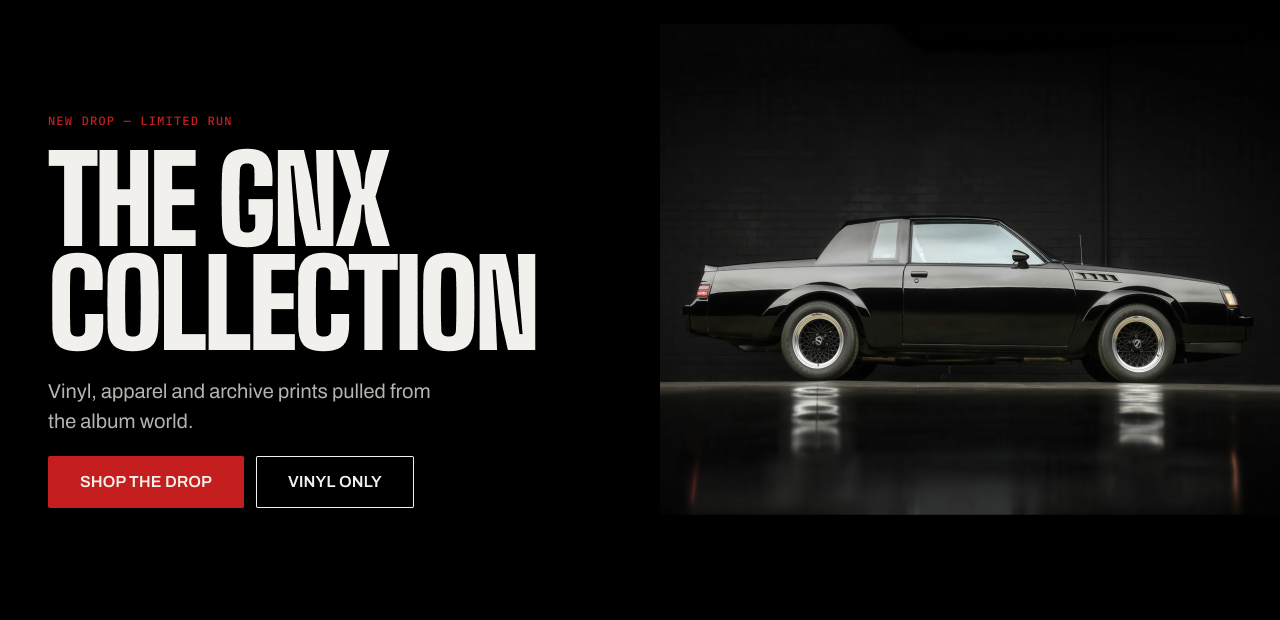
Unaffiliated concept project. Not an official artist or label store. All artwork, product design and photographic treatment is my own; no official campaign assets were used.
The brief
I picked an album named after a car, because that gave me something real to pull colors from instead of a vague mood. Night asphalt, chrome, orange streetlight, tail-light red. Every color in the store traces back to something in that world.
The homepage is the easy part. The hard part is keeping the brand alive through a size picker, a quantity box and a card form — places where being clear matters more than looking good.
Homepage
The hero sets the scene. The countdown adds urgency while people are still paying attention. The product grid gives four quick ways in. The story band catches anyone who scrolled past without clicking. The shipping and returns row answers "is this real merch?" before the sign-up form asks for an email.
Every section is either selling something or clearing away a reason not to buy.
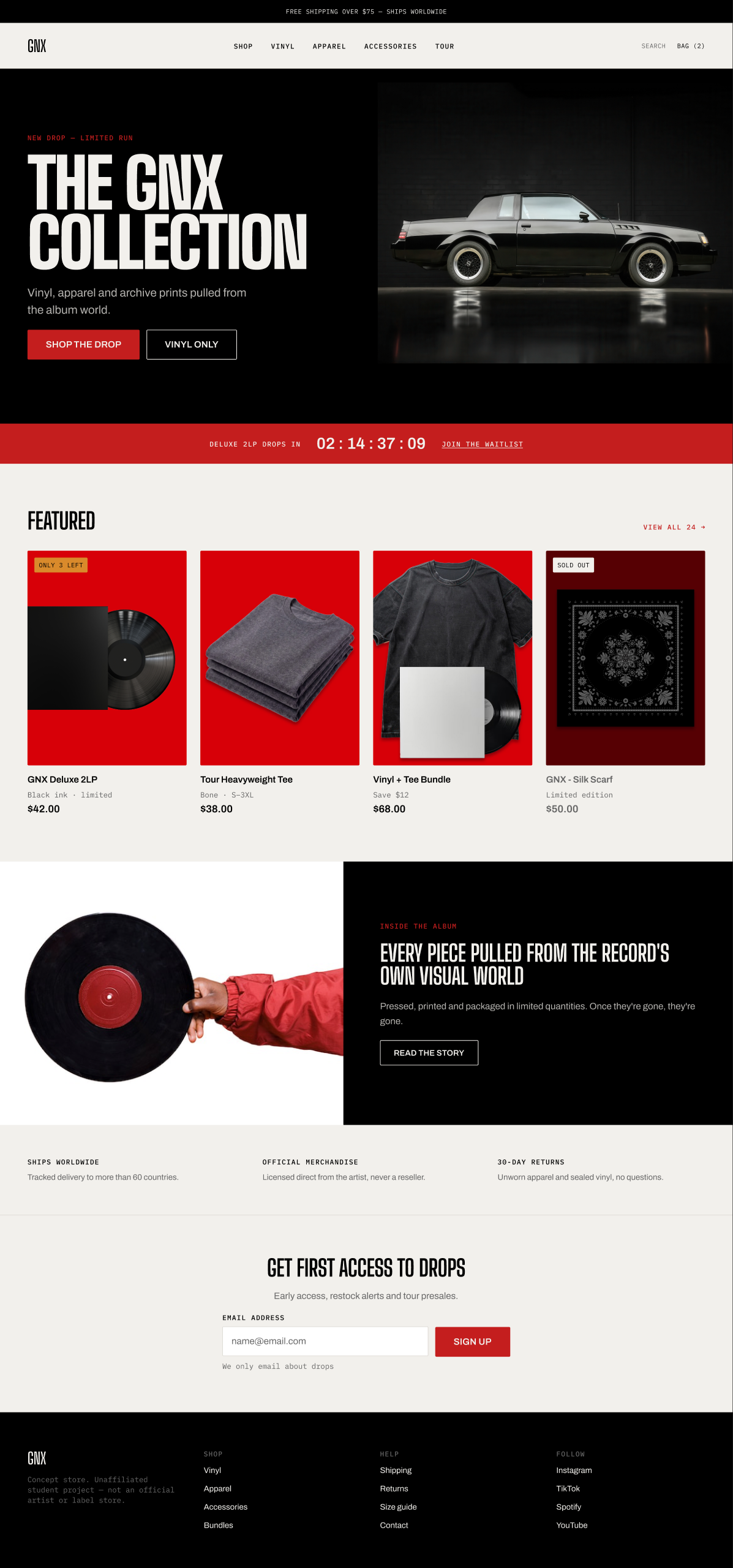
Shooting the products on red ties them together as one collection instead of four separate things.
Product page
The price comes before the format and color options, so you know what you are choosing between before you start choosing.
The "only 3 left" note sits under the add to bag button, not above it. Above the button it feels like pressure. Under it, it feels like you made a good call.
The button repeats the price, so nobody has to stop and check what they are about to pay.
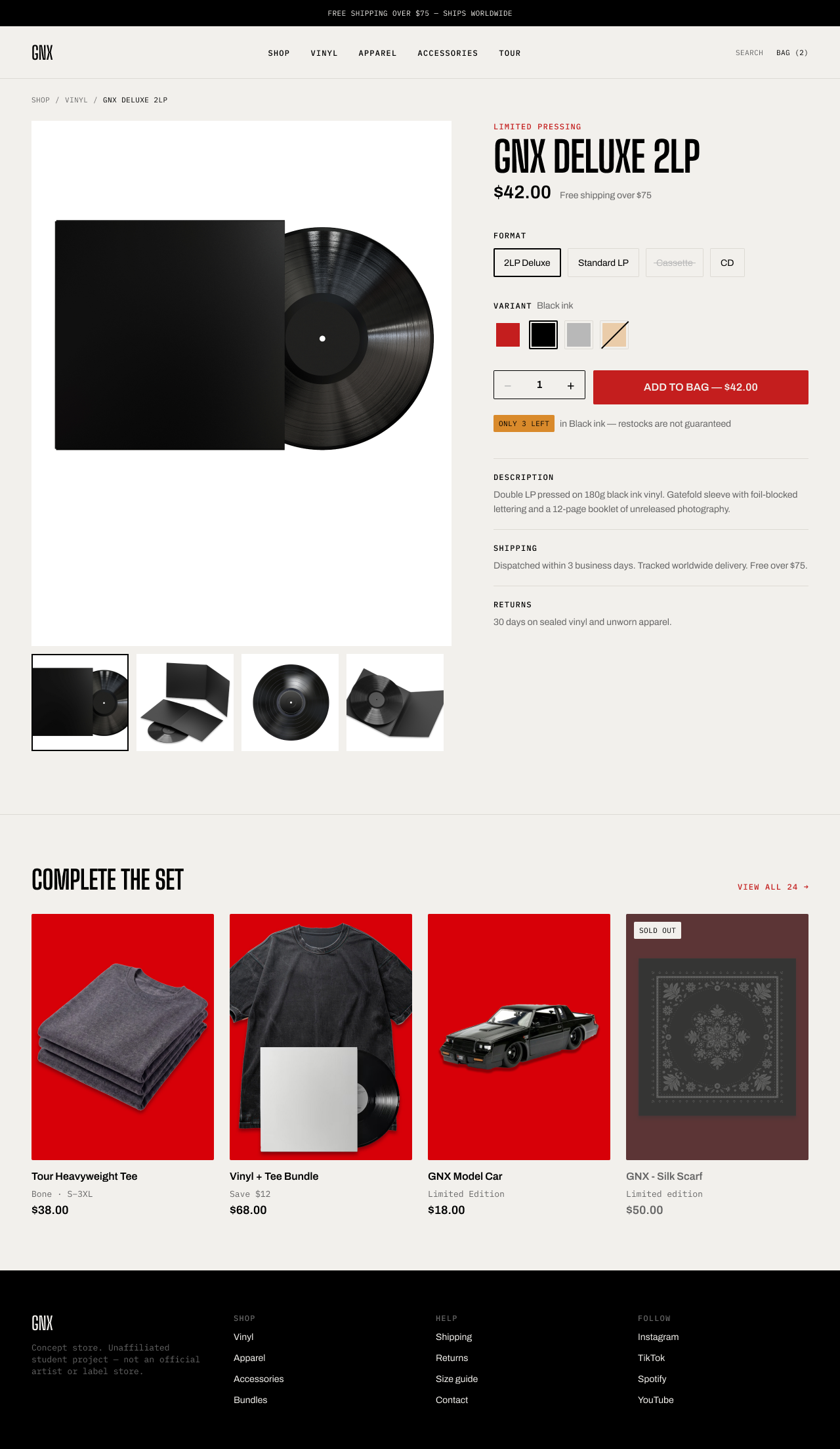
Sold-out options are never shown with color alone — the format gets a line through it, the color swatch gets a slash.
Mobile experience
The add to bag button stays stuck to the bottom of the screen, showing the price and which version you picked. If you have scrolled down to the other products, you still know what you were looking at and can buy without scrolling back.
The layouts get rebuilt for small screens rather than just squeezed. The hero stacks instead of sitting side by side, the product grid drops from four across to two, and the countdown becomes three lines. The product card has its own mobile version so the photos keep the same shape.


Checkout
Checkout has no navigation. Just the logo and a line saying the page is secure. Every link up there is a way for someone to wander off, so the step indicator does the job of telling people where they are instead.
Steps you have finished collapse into a short summary with an edit link, so the form does not feel like it goes on forever. On mobile the order summary folds into one bar with the total, and the totals appear again just above the pay button — hiding the total is one of the main reasons people give up on mobile checkouts.
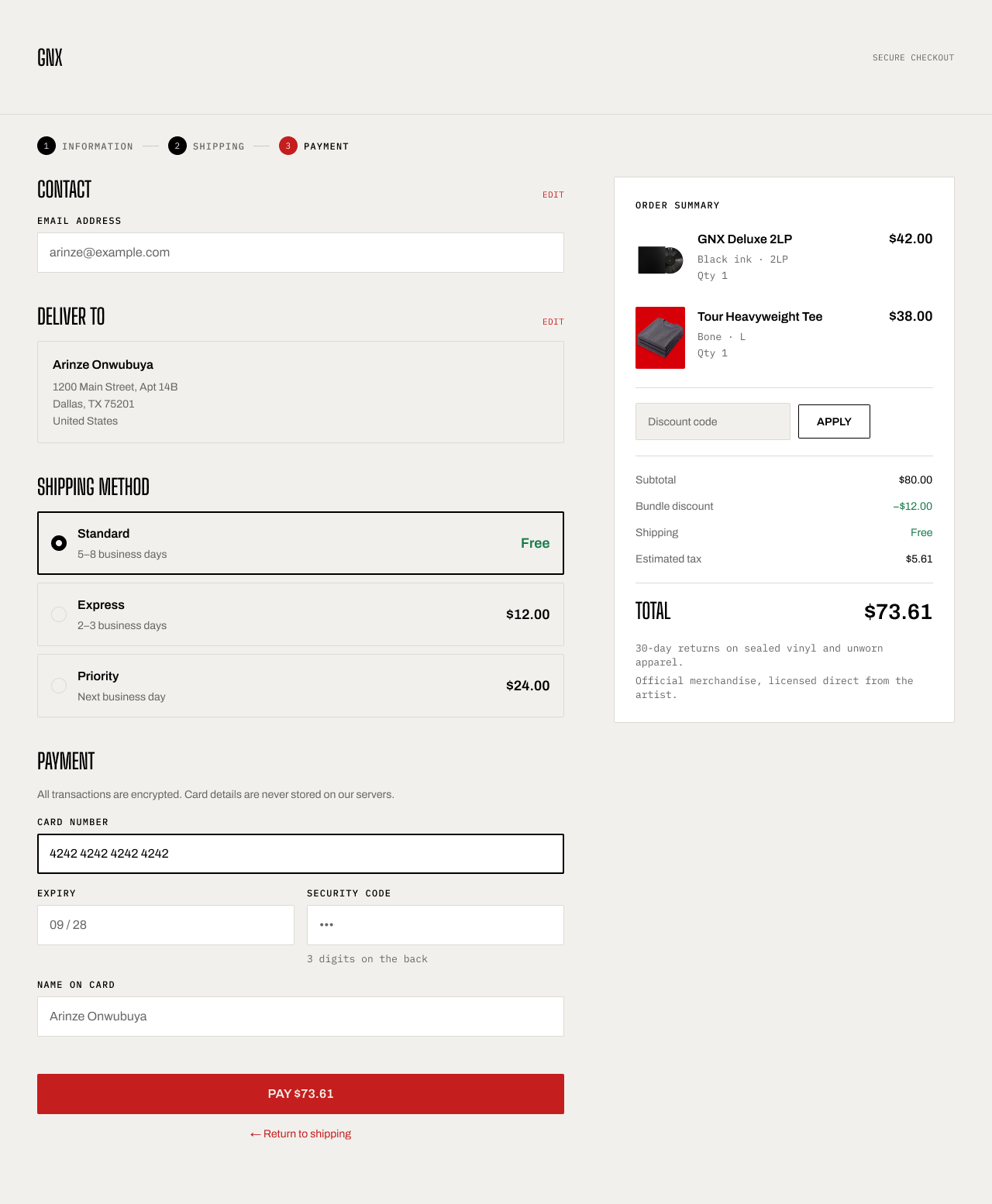
The pay button shows the amount. If it just said "Pay" and you had to scroll up to check the total, that is where people hesitate.
Design system
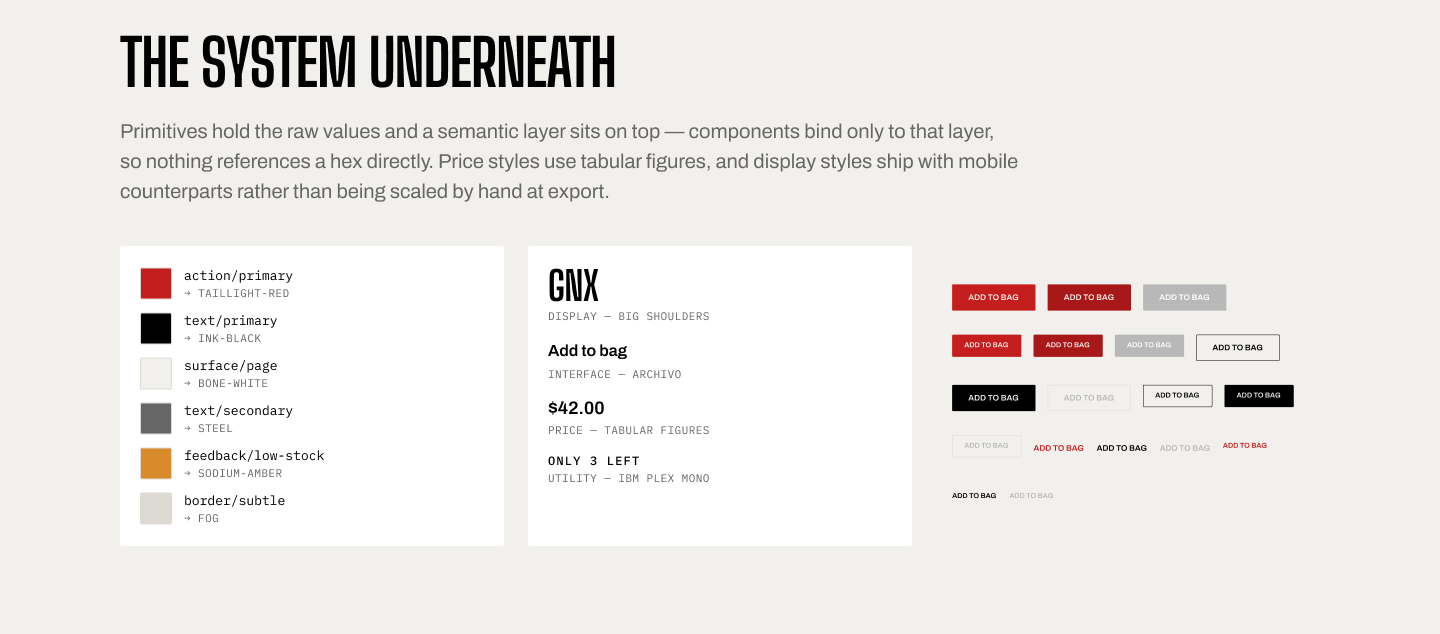
Raw color values live in one layer. On top of that sits a second layer that names what each color is for — page background, primary action, low stock. Components only ever point at those names, so changing a color is one edit instead of a hunt through the file.
Three typefaces, three jobs: a condensed one for big headlines, a plain one for body text and buttons, and a monospace one for small labels and prices. Prices use fixed-width numbers so they line up down a product grid. Headline styles have their own mobile sizes rather than being shrunk by hand.
Six component sets: button, badge, input field, variant option, quantity stepper and product card. The product card carries its own desktop and mobile size variants.
Accessibility
What I'd do next
Take a look at a few other projects to see how I approach different product challenges.
.png)
.png)
Now's the time to build a brand or website that stands out. Let's build something that truly reflects what you stand for.
Ready to get started?